
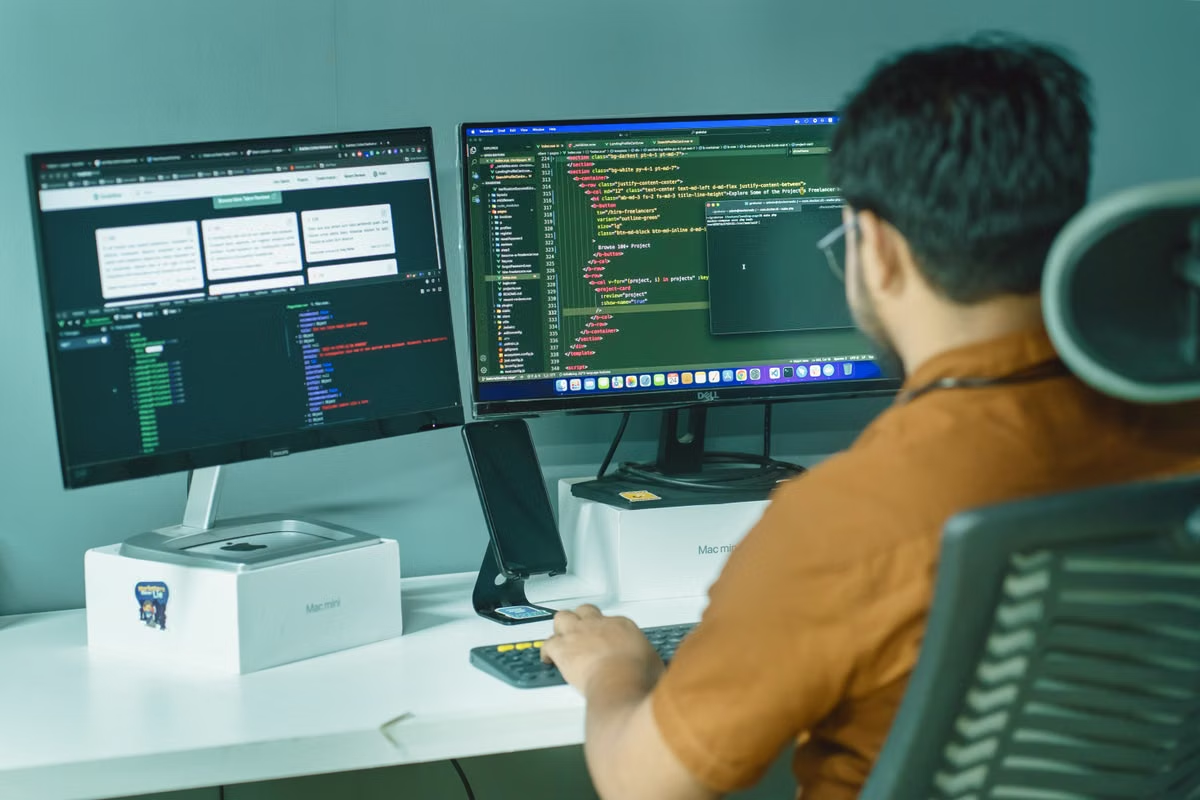
A standard OpenShip quickstart uses three commands: install, initialize, and deploy. That short path is useful for a stateless demo, but it is not enough evidence for a production AI Agent. OpenShip deployment for AI agents should follow this order: classify the runtime, ship a minimal health-checked service, add state and workers, configure secrets and HTTPS, then test rollback before launch. (OpenShip quickstart)
This week’s recommended action: deploy only /health and one model request first. Do not connect the full tool set, database, or scheduled jobs until the minimal version survives a restart and a controlled rollback.
This guide is for:
- Independent developers turning a local AI Agent prototype into a public service.
- Small teams that want Git-triggered deployments with a recoverable release path.
- AI SaaS engineers choosing between a cloud build environment, a self-hosted server, or a remote Mac control and build machine.
Last updated August 1, 2026. The workflow and capability claims were checked against OpenShip’s official quickstart, installation, architecture, and platform documentation.
Start by identifying the Agent’s runtime shape
The most common deployment mistake is treating every AI Agent as a single web application. An Agent that answers an HTTP request, an Agent that processes jobs continuously, and an Agent that runs scheduled tasks have different failure modes.
Use this classification before opening OpenShip:
- Web API: receives a request, calls a model, invokes tools, and returns a response. It needs a stable listening port, a health endpoint, request timeouts, and protection against long-running requests.
- Long-running worker: consumes jobs from a queue or watches an event source. It needs a restart policy, idempotent job handling, visible failure logs, and a way to avoid processing the same job twice.
- Scheduled task: runs at a defined interval or at a specific time. It needs retry behavior, run history, a lock against duplicate execution, and a clear timezone assumption.
- Multi-service application: separates the API, worker, database, cache, frontend, or tool gateway. It needs private networking, service names, startup ordering, and a data recovery plan.
OpenShip’s published platform materials describe containers, workers, scheduled jobs, private networking, databases, streaming logs, metrics, and immutable rollback versions. Those capabilities make it a reasonable fit for a standard containerized AI Agent, but they do not remove the need to verify the application’s own runtime assumptions. (OpenShip platform overview)
The important boundary is Serverless behavior. If the Agent expects a persistent process, WebSocket connection, local files that survive requests, or a worker that stays alive, do not assume a function-style runtime will provide those semantics. The official OpenShip architecture material describes Docker, bare-process, and cloud deployment modes; confirm the selected target before adapting an application around short-lived invocation behavior. (OpenShip architecture documentation)
Pre-deployment checklist
- [ ] The application has one clear HTTP or worker entry point.
- [ ] The service listens on the port supplied by the runtime.
- [ ]
/healthdoes not call the model provider or database unless that dependency is intentionally part of readiness. - [ ] The project has a lockfile and reproducible dependency installation.
- [ ] Build, start, and migration commands are documented.
- [ ] Temporary files are not treated as durable storage.
- [ ] Tool calls have timeouts and bounded retries.
- [ ] Model API keys are referenced through environment variables.
- [ ] The team knows which process handles web traffic and which handles background work.
A prototype that runs locally but stores conversations, uploaded files, or task state in the container filesystem is not ready. A restart or replacement container can remove that assumption even when the application itself starts successfully.
Choose the code source and deployment target
OpenShip supports two practical code-entry paths: a local project folder and a Git repository. The same deployment workflow follows after the source is selected.
Option A: deploy from a local folder
This is the fastest route for a first smoke test.
cd /path/to/your-agent
openship init
openship deploy
Use a local folder when the project is still changing quickly, the developer needs to inspect build output immediately, or the first objective is proving that the application can start outside the laptop.
The risk is release traceability. A local deployment can succeed without a clean commit, reproducible build context, or a clear record of what changed. Before treating it as production, commit the working version and record the deployment identifier.
Option B: deploy from a Git repository
Use the repository path when the team needs push-to-deploy, code review, branch previews, or a release history. OpenShip’s public materials describe repository connections, automatic builds, preview deployments, and deployment snapshots.
The build environment must be checked before production use:
- Confirm the target architecture matches the dependencies.
- Pin system packages and language dependencies where practical.
- Do not rely on credentials stored in a developer’s shell profile.
- Keep production builds away from an untracked working directory.
- Run tests before the image or artifact is sent to the target.
OpenShip’s documented workflow emphasizes building on the local machine or in the cloud, then sending the built result to the target so the production server does not need to compile the application. That separation is valuable for AI Agents with heavy native dependencies, but only if the build environment is representative of the runtime environment.
Deploy the smallest useful Agent
The first deployment should not prove every feature. It should prove the request path.
Create a minimal service with:
- A health endpoint.
- A single model call.
- One bounded timeout.
- One structured request identifier.
- A safe error response that does not expose credentials or upstream headers.
Example application settings can use placeholders:
export APP_PORT="${APP_PORT:-3000}"
export MODEL_API_KEY="<MODEL_API_KEY>"
export MODEL_NAME="<MODEL_NAME>"
Do not commit this file:
# .env.example
MODEL_API_KEY=
MODEL_NAME=
DATABASE_URL=
REDIS_URL=
APP_PORT=
The real values belong in OpenShip’s environment or secret configuration, not in .env.example, source code, shell history, or build output. OpenShip advertises environment-scoped encrypted secrets and a CLI that manages secrets, domains, logs, and rollbacks. Verify the exact command or dashboard field against the current installation rather than copying a command from an older article. (OpenShip quickstart)
A minimal deployment sequence looks like this:
cd /path/to/your-agent
openship init
openship deploy
openship status
Then validate the public endpoint:
curl -fsS https://<AGENT_DOMAIN>/health
The expected result should identify the service as alive without proving that every downstream dependency is healthy. A separate readiness check can test the database, queue, or model provider after the basic process check is stable.
What to inspect after the first build
- Build log: dependency installation, compilation, migrations, and start command.
- Service status: running, restarting, exited, or unhealthy.
- Application log: request identifier, duration, upstream error class, and retry count.
- Public endpoint: HTTPS route, expected status code, and response body.
- Model call: valid response, timeout behavior, and invalid-key behavior.
- Restart behavior: service returns without manual file repair.
Do not proceed because the dashboard says “live” once. A deployment is provisionally successful only when the health endpoint, model request, and restart test all pass.
Add state, tools, and background work in dependency order
After the minimal API works, add dependencies one at a time. The safest order is:
- Persistent database.
- Database migration.
- Cache or queue.
- Worker process.
- Tool integrations.
- Scheduled jobs.
- User-facing streaming or WebSocket behavior.
OpenShip’s official platform description lists PostgreSQL, Redis, MongoDB, MySQL, object storage, workers, scheduled jobs, private networking, and WebSockets among its supported platform capabilities. These features are useful for an AI SaaS, but the application still owns schema compatibility, retry logic, and data correctness. (OpenShip platform overview)
A database connection test should cover more than a successful initial query:
curl -fsS https://<AGENT_DOMAIN>/health
curl -fsS https://<AGENT_DOMAIN>/ready
The readiness endpoint should fail clearly when the database is unavailable. It should not report full readiness merely because the web process is listening.
For a worker, verify:
- A job can be inserted.
- Exactly one worker claims it.
- A failed model call records a retryable or permanent error.
- A restarted worker does not silently lose the job.
- A completed job cannot be processed again unless explicitly retried.
For scheduled tasks, record the schedule, timezone, retry policy, and ownership. A task that creates reports, sends messages, or invokes paid model APIs must have a duplicate-prevention key. Otherwise, a deployment restart can turn one scheduled run into multiple billable or user-visible actions.
Configuration and deployment comparison
| Deployment choice | Best fit | Main advantage | Main risk | Acceptance evidence |
|---|---|---|---|---|
| Local folder to target | First smoke test | Fast feedback from the working directory | Weak release traceability | Health check, model call, restart |
| Git repository to target | Small team production service | Reviewable commits and repeatable releases | Build or secret configuration may be incomplete | Commit-linked deploy and rollback |
| Cloud build target | Teams without a prepared build host | Less local infrastructure work | Network, credentials, and build-environment differences | Reproducible build and artifact record |
| Self-hosted deployment | Data, network, or cost control requirements | Direct control of server and storage | The team owns updates, backups, and recovery | Restore test, monitoring, and documented ownership |
OpenShip’s official installation documentation lists a Linux server path and a Docker Compose path. It also lists a minimum self-hosted baseline of 2 CPU cores, 2 GB RAM, and 20 GB disk, with higher recommended values. Treat those as platform installation guidance, not as a sizing guarantee for an AI Agent; model traffic, logs, databases, and worker concurrency can require more capacity. (OpenShip installation documentation)
Configure domains, HTTPS, and secret boundaries
A production route has at least four separate checks:
- DNS points to the intended target.
- The application listens on the internal port expected by the deployment.
- The public route forwards to the correct service.
- HTTPS presents a valid certificate and redirects or rejects plain HTTP as intended.
OpenShip’s public documentation describes custom domains, automatic SSL, DNS management, and routing through its deployment flow. Confirm the domain from an external network, not only from the server itself. (OpenShip quickstart)
Use placeholders in deployment notes:
Public host: https://<AGENT_DOMAIN>
Repository: <REPOSITORY_URL>
Release: <COMMIT_OR_DEPLOYMENT_ID>
Model key: <MODEL_API_KEY>
Database: <DATABASE_CONNECTION_REFERENCE>
The model key should never appear in:
- Source control.
- Docker build arguments.
- Pull request comments.
- Shell transcripts.
- Exception messages.
- Full request headers.
- Health responses.
- Debug logs retained for support.
Log the provider name, model label, request identifier, status class, timeout category, and duration. Do not log the full authorization header or full prompt by default. If prompts are needed for debugging, apply redaction, retention limits, and access controls before enabling them in production.
A key rotation test is also required. Replace the secret with a new value in a controlled environment, restart or reload the service according to the supported mechanism, and confirm that the old value no longer works. This proves that the application is reading the managed configuration rather than a stale file baked into the image.
Prove monitoring and rollback before launch
OpenShip describes streaming logs, real-time metrics, audit records, and one-click rollback to previous immutable deployments. These features should be treated as testable controls, not marketing labels.
Run three failure drills before handing the URL to users.
Drill one: model timeout
Temporarily route the test service to an unreachable or deliberately slow upstream. Confirm that:
- The request ends within the configured timeout.
- The client receives a controlled error.
- The log contains a request identifier.
- The worker records whether the job is retryable.
- No secret or full authorization header appears.
Drill two: application startup failure
Deploy a test version with an invalid start command or missing non-secret configuration. Confirm that the deployment is marked failed, the failure is visible in the build or service log, and the previous version remains available.
Drill three: bad production release
Deploy a version that returns an intentional error from a non-critical endpoint. Identify the previous known-good version, roll back, and repeat the health and model checks.
OpenShip’s API documentation shows deployment status, project records, deployment identifiers, and programmatic deployment operations. If the team uses automation, store the deployment ID and commit reference together so a human can select the correct release during an incident. (OpenShip API documentation)
Remember that application rollback and database rollback are different operations. Reverting code does not automatically reverse a destructive migration, restore deleted rows, or recover an overwritten object. Before launch, assign these responsibilities:
- Who owns database backups?
- Who can restore them?
- How is the restore verified?
- Which schema changes are backward-compatible?
- Which release is safe to run against the current schema?
- Where is the incident log stored?
Final launch checklist
- [ ]
/healthpasses from outside the deployment network. - [ ] Readiness fails when a required dependency is unavailable.
- [ ] A real model request succeeds with the managed key.
- [ ] An invalid key produces a safe, searchable error.
- [ ] The service survives a restart.
- [ ] Database data remains after the restart.
- [ ] A worker completes one job and handles one failed job.
- [ ] A scheduled task cannot duplicate work accidentally.
- [ ] HTTPS and the intended domain route work externally.
- [ ] Logs identify release, service, request, and failure category.
- [ ] Metrics show resource pressure before users report it.
- [ ] The previous deployment can be restored.
- [ ] Database recovery ownership is written down.
- [ ] The handoff document contains the release ID, rollback command, secret owner, and escalation path.
OpenShip deployment FAQ
How do you deploy an AI Agent with a backend on OpenShip?
Start with a repository or local project folder, initialize the application, and deploy a single long-running web service first. Confirm the health endpoint and one model request before adding a database, cache, worker, or scheduled task. This order separates application failures from infrastructure failures and gives the team a known-good deployment to restore.
What files should an OpenShip project include before deployment?
Prepare a reproducible application entry point, dependency lockfile, build and start commands, port configuration, health endpoint, environment variable template, and database migration procedure. A Dockerfile is useful when automatic detection is insufficient. Keep real secrets out of the repository, and document which process serves HTTP, which process runs jobs, and where persistent data is stored.
How should a model API key be configured in OpenShip?
Store the model provider key as an environment variable or in OpenShip’s secret management interface. Reference the variable from application code instead of writing the key into source files, build commands, or logs. Test with a deliberately invalid key in a non-production environment, then check that error logging shows the failure reason without exposing request headers or the credential value.
Can OpenShip deploy a database and background jobs with an AI Agent?
OpenShip’s official materials describe support for databases, private service networking, workers, and scheduled jobs. Treat each dependency as a separate acceptance item: verify service discovery, startup ordering, migrations, restart behavior, backup ownership, and data restoration. A successful first boot is not proof that persistent storage or asynchronous work will survive a restart.
What is the safest way to roll back a failed OpenShip deployment?
Keep the last known-good deployment identifiable by commit or release label, trigger a controlled failure in a staging environment, and confirm that the previous immutable version can be restored. Then test the database separately. Application rollback can restore code and routing, but it does not automatically undo an incompatible schema migration or recover deleted data.
The practical trade-off is between a quick local prototype and a controlled production path. A plain local machine often lacks an always-on build environment, shared logs, repeatable secrets, and a tested rollback process. A generic self-hosted deployment can add manual certificate work, unclear service networking, and backup responsibility. For teams that need a continuously available macOS build and control endpoint, isolated testing, or remote collaboration around the deployment workflow, renting a Mac environment from Vuncloud can be more convenient than keeping a developer laptop awake or rebuilding the setup for every release. The OpenShip acceptance checklist above should still be completed before the Agent is treated as production-ready.
For teams comparing remote development options, the Vuncloud Mac rental guide can help match the project cycle to a temporary or ongoing Mac environment. When deployment access, handoff, or support ownership is unclear, use the Vuncloud help center to clarify the operating arrangement before committing the Agent to a long-running workflow.
Move Your AI Agent to a Dedicated Mac
Deploy your production workflow on a dedicated Mac mini with a reliable environment for development, testing, and automation.
Access your remote Mac through VNC and manage your agent from anywhere without maintaining local hardware.