
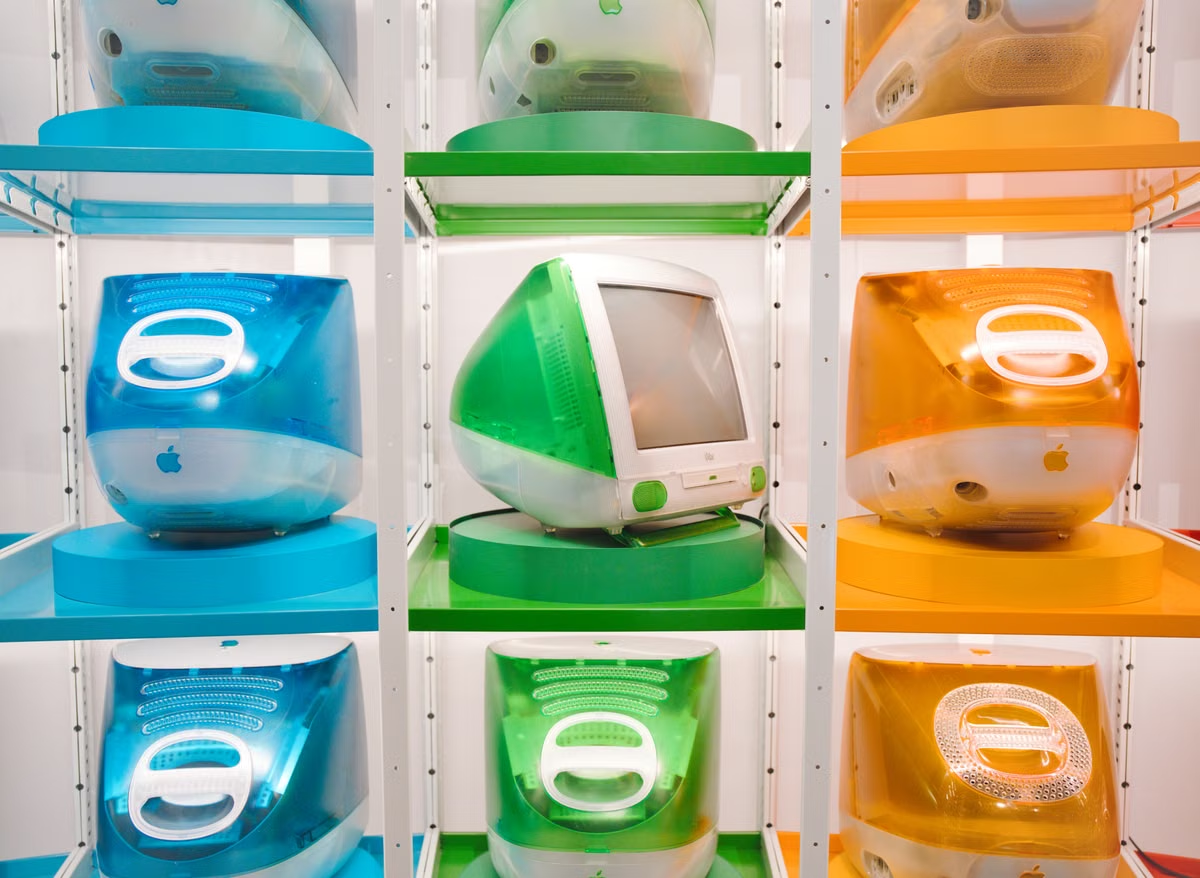
A current official iMac configuration lists 16GB of memory and 256GB of storage, while the latest report only points to a possible M6 chip and new colors rather than confirmed specifications (Apple Store configuration). The M6 iMac latest news therefore supports a possible launch before the end of 2026, but Apple has not confirmed the release date, price, configuration, or colors.
This week’s action: keep a purchase plan flexible, compare the cost of buying the current iMac with the cost of waiting, and do not approve a team-wide order based on rumored colors or memory options.
This guide is for people refreshing a home or office all-in-one desktop, design or reception teams that need a consistent appearance, and technical users considering an iMac for development without knowing its sustained-performance limits.
Last updated August 25, 2026. Timing and rumor claims were checked against the August 23 M6 iMac report, Apple’s official iMac pages, and the Apple Newsroom announcement for the M4 iMac.
First, separate the report from the buying decision
The latest report is useful because it narrows the discussion to a possible M6 chip, additional color choices, and a release window before the end of 2026. It does not provide an Apple product page, an official model number, a confirmed price, a final configuration list, or an exact delivery date. That distinction matters because a reported product direction is not the same as an orderable product.
Apple’s current product pages confirm that the iMac remains a 24-inch all-in-one desktop, and Apple’s October 2024 announcement introduced the M4 iMac with Apple Intelligence (current iMac product page). Those pages establish the current product baseline, not the M6 specification.
The strongest working conclusion is therefore conditional:
- If a buyer needs a fixed desktop now, the current iMac can still be evaluated on its actual price, memory, storage, display, and delivery availability.
- If a buyer mainly wants the newest Apple Silicon generation or a different finish, waiting for the M6 announcement is reasonable.
- If a buyer expects OLED, a major chassis redesign, or a large sustained-performance jump, the current M6 reports do not justify waiting without a backup plan.
The main risk is not simply missing a launch. It is delaying work, then discovering that the new model offers a modest refresh rather than the hardware change the team actually needed.
Step one: use the release window without treating it as a promise
The reported window points to a launch before the end of 2026 (MacRumors report on the M6 iMac and new colors). As of August 25, 2026, Apple has not confirmed whether the M6 iMac will appear during a major event or arrive through a Newsroom announcement and store update.
That distinction affects procurement:
- An event launch may create immediate attention but does not guarantee broad stock on the first day.
- A press-release update can make the product available with less public lead time, leaving teams fewer days to arrange approvals.
- Custom memory, storage, mounting, display glass, or delivery requirements may take longer than a standard retail configuration.
- A team that waits until the announcement to start internal approvals could still face a gap between launch and usable deployment.
The purchase decision should use a deadline rather than a vague instruction to “wait.” For example, a home buyer can set a date after which the current model becomes the fallback. An office can approve a two-stage plan: buy available machines for urgent seats, then reassess the M6 for later replacements.
The correct question is not whether the rumor sounds plausible. It is whether the expected benefit is worth the operational cost of waiting.
Step two: build the price around total ownership
No confirmed M6 iMac price exists. The official iMac purchase page is the right baseline for current pricing, but it should not be copied into an M6 forecast. A new chip or finish could preserve the current positioning, alter the entry configuration, or change the cost of higher memory and storage tiers. None of those outcomes is confirmed.
A realistic budget should include more than the advertised computer price:
- Memory capacity, because development tools, virtual machines, containers, and creative applications can make a low-memory configuration restrictive.
- Storage capacity, because local project files, media libraries, simulators, caches, and backups consume space faster than office documents.
- Warranty or support coverage, especially for a reception desk, classroom, or shared production station.
- External storage, docks, input devices, display adapters, or replacement accessories.
- Delivery and deployment labor for multiple machines.
- The cost of leaving staff on older hardware while the team waits.
- The cost of buying a temporary desktop if the M6 slips beyond the required installation date.
The current official configuration page provides a concrete reference point: one listed model combines 16GB of memory, 256GB of storage, a 10-core CPU, and a 10-core GPU (Apple Store configuration page). Those figures describe that M4 configuration only. They should not be presented as predicted M6 specifications.
For a team, the best budget worksheet has three columns: current purchase, M6 purchase after confirmation, and temporary or remote capacity during the wait. This exposes hidden costs that a simple “M6 price versus M4 price” comparison misses.
Step three: treat memory, storage, and ports as unresolved requirements
The M6 chip is the central reported upgrade direction, but the important buying question is how Apple packages it. As of the review date, there is no confirmed M6 iMac information for memory tiers, storage tiers, CPU core count, GPU core count, port selection, external display behavior, or optional accessories.
The official iMac technical specifications show why these details matter. An all-in-one desktop combines the display, computer, speakers, and connectivity into one enclosure. That reduces desk clutter, but it also makes the original configuration more important. A buyer cannot treat every component as easily replaceable later.
For office work, the main checks are application responsiveness, shared-account management, video meetings, local storage, and peripheral compatibility. For development, the checks change:
- Can the selected memory tier handle the editor, browser sessions, local services, containers, simulators, and test tools at the same time?
- Does the storage tier leave enough working space for source trees, build artifacts, package caches, and local databases?
- Are the available ports sufficient for test devices, removable storage, wired networking, audio hardware, and displays?
- Will the workstation remain useful if the team adds heavier build or AI tasks later?
For design work, the evaluation should include the actual application mix, source media size, display finish, color requirements, external storage, and backup process. “M6” alone cannot answer those questions.
Teams should wait for Apple’s technical specification page before finalizing a standardized configuration. If the final memory or connectivity options do not fit the workload, the correct fallback may be another Mac form factor or a remote Mac environment rather than a higher-priced iMac.
Step four: keep color, exterior, and OLED claims in separate lanes
The reported new colors are relevant to home offices, studios, classrooms, reception desks, and design teams that want a consistent visual identity. However, Apple has not confirmed color names, images, availability by configuration, or whether a rumored finish will ship in every market. Apple’s current support documentation can be used to verify the existing color information, but it does not confirm a future palette (Apple color support documentation).
The safest prediction is limited: the M6 iMac may receive new color choices while retaining the basic all-in-one concept. That would make the update more attractive for buyers who value coordinated workstations, but it would not automatically improve sustained compute performance, repairability, or expandability.
OLED belongs to a different forecast. Separate reporting describes an OLED iMac as a later direction rather than a feature that should be assumed for the M6 generation (MacRumors report on a future OLED iMac). Mixing the two reports creates a misleading expectation that a chip refresh, new color, major redesign, and OLED panel will arrive together.
A buyer who needs a different screen technology should make OLED a separate wait condition. A buyer who only wants a new finish should not delay a time-sensitive deployment on the assumption that an OLED redesign is imminent.
A configuration decision table for different buyers
The following table does not predict unconfirmed M6 specifications. It shows how to choose between waiting, buying the current iMac, or separating the fixed desktop from peak compute.
| Buyer profile | Main requirement | Sensible action before M6 confirmation | Main risk |
|---|---|---|---|
| Home office | Clean desk, fixed applications, reliable daily use | Compare the current official price with the cost of waiting; set a personal fallback date | Paying for a new model without needing its chip |
| Office or reception team | Consistent appearance and predictable deployment | Wait for confirmed colors and delivery details if the finish matters; otherwise stage the purchase | Delayed rollout and inconsistent equipment |
| Design team | Display workflow, local media, color consistency | Verify display finish, storage, memory, and external-device needs before ordering | Treating a new color as a display upgrade |
| Teaching or training room | Simple management and repeatable setups | Favor confirmed availability and standard configurations unless the M6 benefit is clear | First-batch supply or configuration delays |
| Light development | Editors, web tools, moderate builds, local testing | Compare confirmed memory and port options when published; use the current model if the deadline is fixed | Memory pressure and limited expansion |
| Heavy builds or local AI | Sustained workloads and changing resource needs | Evaluate another Mac or remote Mac capacity alongside the iMac | An elegant all-in-one becoming the bottleneck |
This is the central purchasing filter: choose the iMac for the stable desktop experience, not because an unconfirmed chip name promises unlimited headroom.
Step five: test whether an iMac fits the real workload
An M6 iMac could be a sensible development machine for web projects, documentation, teaching, interface work, and moderate application builds. The fixed screen and integrated design can simplify a shared desk or a home workspace. It can also reduce the number of separate components that a small team must purchase, cable, and support.
That does not make it the best choice for every developer. Sustained compilation, several containers, device simulators, large repositories, local language models, and parallel test jobs can create pressure on memory, storage, thermals, or connectivity. The final M6 configuration must be checked against the workload rather than judged by the processor generation alone.
A remote Mac can provide a useful second layer when the desktop requirement is stable but peak compute is irregular. A developer may keep the all-in-one for editing, meetings, documentation, and local testing, then move heavier jobs to a remote environment. Readers comparing that approach can review Vuncloud’s Mac mini rental options as a reference for evaluating remote capacity, billing periods, access method, and project fit. The exact service configuration should be confirmed before any technical commitment.
For design teams, the same split can work when the daily task is visual review but occasional exports, builds, or automation jobs need more resources. It is less suitable when the workflow depends on physical devices, specialized capture hardware, low-latency peripherals, or uninterrupted local access.
Step six: use a verification checklist before approving an order
The following checklist is designed for the period between a credible report and an official product announcement:
- [ ] Confirm whether Apple has published an M6 iMac product page or Newsroom announcement.
- [ ] Record the official release date separately from the first estimated delivery date.
- [ ] Compare the complete official price list, not only the entry configuration.
- [ ] Check memory and storage tiers against the team’s applications and project files.
- [ ] Verify ports, external display support, networking, and test-device requirements.
- [ ] Confirm the actual color names, images, and availability by configuration.
- [ ] Separate any OLED expectation from the M6 purchase decision.
- [ ] Ask whether a standard configuration can arrive sooner than a customized one.
- [ ] Set a fallback date for buying the current iMac or using remote Mac capacity.
- [ ] Test one representative workload before standardizing the machine for a whole team.
Apple’s official specifications should be the final authority for hardware details. The Apple Store should be used for current purchase pricing and availability. Media reports can guide the wait-or-buy decision, but they should not fill gaps in an order form.
Readers who need help evaluating account access, deployment, or remote-workflow details can also consult Vuncloud’s help center before treating remote capacity as a replacement for a local desktop.
What the M6 iMac latest news means for buyers
The report is strong enough to justify monitoring, not strong enough to justify an unconditional delay. The likely near-term story is a chip update with possible new colors. The evidence is weaker for a full exterior redesign, confirmed OLED technology, or a clearly defined memory and port overhaul.
For a household or office with a fixed installation date, the current iMac remains the practical comparison point because its product information, configuration, and purchase path are known. For a design or front-desk team where appearance matters and deployment can wait, the reported color update may be worth monitoring. For developers and AI users, the decision should depend on memory, storage, connectivity, and sustained workload behavior after Apple publishes the final configuration.
The most expensive mistake would be waiting for a rumored feature that does not address the actual constraint. A new color cannot solve a memory shortage. A newer chip cannot guarantee the required port layout. A possible OLED roadmap cannot help a team that needs machines delivered this month.
FAQ
What new colors could the M6 iMac get?
Current reporting points to new color choices, but it does not establish official color names, a complete palette, or whether every configuration will offer every finish. Apple has not published product images or color specifications. Teams should therefore avoid ordering furniture, matching accessories, or branded workstations around a rumored finish until Apple lists the model.
Could the M6 iMac cost more than the current model?
A price increase remains possible, but there is no confirmed M6 iMac price. The sensible baseline is the current official iMac purchase page, then add memory, storage, warranty, accessories, and delayed delivery to the budget. A rumor should not become a purchase order until Apple publishes a price and configuration matrix.
Will the M6 iMac change its display or exterior design?
The current reports support a possible chip and color refresh more clearly than a major exterior redesign. Separate reporting places an OLED iMac on a more distant product path, so OLED should not be treated as part of the expected M6 launch. Buyers who specifically need OLED should wait for stronger evidence rather than assume the M6 will include it.
Is the M6 iMac suitable for programming and design work?
It could suit office software, teaching, interface work, web development, and moderate creative projects, provided the final memory, storage, and port options meet the workload. Developers with sustained builds, containers, simulators, or local AI models need to assess memory pressure and remote expansion. Designers should also verify display finish, color workflow, external monitor support, and delivery options.
For a buyer whose current setup is a fixed desktop, the iMac can remain the cleaner long-term choice, but it has real limits: its hardware is selected at purchase, its all-in-one design offers less flexibility for later expansion, and waiting for an unconfirmed M6 configuration can delay deployment. When the workload has irregular peaks, a separate local desktop plus remote Mac capacity can provide a more controlled path than overbuying every workstation. If temporary compute, staged development, or burst testing is the priority, review the available Vuncloud Mac rental access options and verify the required environment before committing.
Access a Mac Without Waiting
Rent a Mac mini from Vuncloud while the next desktop release remains unconfirmed.
Connect to your remote Mac from your existing computer and continue your work without buying new hardware.