
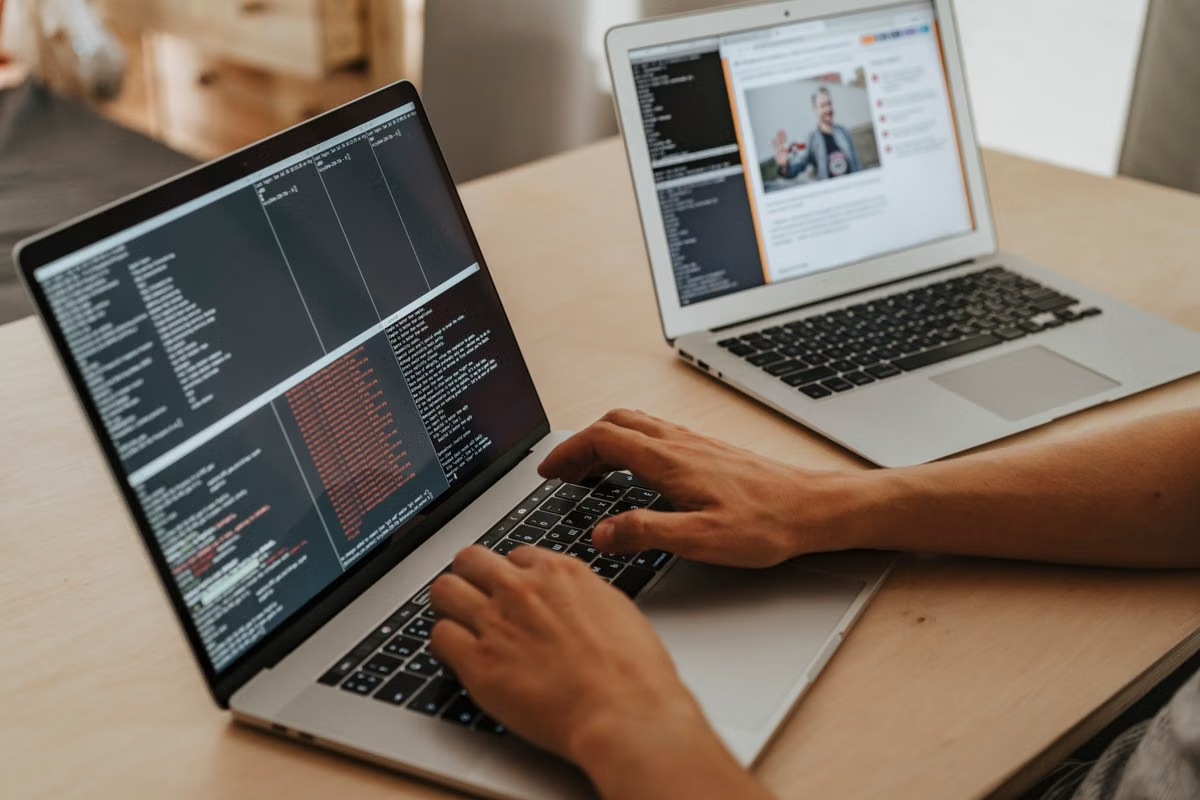
A desktop task stops when the Mac sleeps, or an automation agent can see more of your workspace than intended.
Fastest decision: If you can supervise low-frequency tasks, test Claude computer use on your own Mac with access limited to the task. Choose an independent environment when isolation or freeing your daily computer matters. Treat a cloud Mac as conditional: confirm Claude’s current supported runtime, required apps, and connection path before committing.
This guide is for technical leads piloting desktop agents, Mac users evaluating computer control, and automation developers who need a separated workspace.
Use the checks below to verify compatibility and permissions before assigning real work.
Start with the runtime boundary
Claude computer use is not simply a model feature that can control any computer wherever it is hosted. The computer-use tool sends instructions such as clicks, typing, keypresses, and scrolling, and relies on screenshots of the target interface. The Anthropic computer-use documentation describes that interaction model; it does not, by itself, establish that every Claude product experience is supported on every cloud-hosted Mac.
That distinction matters because several separate parts must work together:
- Claude access: The account, product, or API route must support the computer-use workflow you intend to use.
- Desktop access: The automation process must interact with a graphical session, not merely have a shell or remote login.
- Application access: The required app must be installed, signed in, and usable in that session.
- Control and feedback: The agent must receive screenshots and send actions to the same desktop it is expected to operate.
- Connection continuity: Remote access, network policy, and session state must remain available for the task.
An API tool definition is not equivalent to a hosted desktop. Likewise, a cloud machine being a Mac does not prove that a particular Claude app, account plan, or agent setup can control its screen. The Anthropic guidance on desktop and web connectors distinguishes those connection approaches; check the current guidance against the workflow you are actually deploying.
Does Claude computer use work on a cloud Mac? It may be a candidate environment, but cloud hosting alone is not compatibility evidence. Confirm that the Claude interface or API route, graphical session, target apps, and remote-control method are supported together. If there is no current official confirmation or a successful test on the exact environment, record the result as unverified rather than compatible.
Match the environment to the task
A personal Mac, an isolated Mac, and a cloud Mac solve different problems. Compare them by supervision, separation, and operational burden, rather than assuming that more isolation always means a better deployment.
| Deployment | Best fit | Main advantage | Main limitation to verify |
|---|---|---|---|
| Personal Mac | Occasional tasks while someone is present | No separate desktop environment to maintain | Personal files, open sessions, and other work may be exposed; the computer must stay usable and awake |
| Independent Mac | Repeated tasks that need a separate workspace | Keeps automation apart from a person’s everyday desktop | Adds setup, updates, account management, monitoring, and recovery work |
| Cloud Mac | Remote or ongoing tasks that need a hosted desktop | Separates the automation session from the user’s physical workstation | Claude support, graphical access, app licensing, network rules, and persistent-session behavior must all be verified |
Personal Mac with a person present
A supervised local test is usually the lowest-complexity starting point when tasks are occasional and the user can watch the agent. It also makes it easier to observe where the workflow fails: a dialog appears, an app changes state, an authentication prompt blocks progress, or the agent selects the wrong control.
The trade-off is exposure. A desktop agent operating through screenshots may encounter open documents, notifications, browser tabs, or account sessions unrelated to the task. Minimize that surface before the test: close unrelated work, use a dedicated browser profile where appropriate, and avoid granting access to folders or accounts the workflow does not need. Anthropic’s computer-use privacy explanation is relevant when deciding what screen content may be processed.
Does the Mac need to stay awake during computer use? If the task depends on active screen interaction, plan for the Mac and its graphical session to remain available for the duration. A sleeping machine cannot provide the same live desktop interaction as an awake session. Review Apple’s sleep and wake settings, then test what happens when the display locks, the Mac sleeps, or the network drops. Do not treat a changed power setting as a substitute for testing the actual task.
A person being present reduces the time between an unexpected dialog and a safe response, but it does not remove permission risk. Use a separate test account when practical, avoid broad access to private files, and keep consequential actions—such as sending, deleting, purchasing, or changing account settings—behind a human confirmation step.
Independent Mac for a separated workspace
An independent Mac automation environment is useful when the automation should not share a desktop with personal work, or when repeated runs would otherwise interrupt a person’s computer. Separation can reduce accidental exposure to unrelated files and sessions. It does not automatically provide security: a machine with a shared administrator account, stored credentials, or unrestricted network access can still have a large risk surface.
Plan for the work that separation creates. Someone must maintain the operating system and apps, handle sign-in and credential rotation, inspect failed runs, and restore the environment after an update or a stuck dialog. If the workflow needs a physical accessory or a local interface, confirm that the chosen environment has it; remote desktop access cannot supply hardware that is not present.
Apple documents Screen Sharing as a way to view and control a Mac desktop, while its Remote Login settings describe remote command-line access. Those are distinct capabilities. SSH or another remote shell may help with administration, but it does not establish that an agent can see and operate the graphical desktop. Test the exact interaction path your workflow requires.
When should an AI agent get its own computer? Use a separate environment when the task needs a distinct account or workspace, runs often enough to disrupt personal work, or must be reset without disturbing a user’s desktop. If a person is already present and the task is occasional, begin with a restricted local test instead; separation has value only if the team can also maintain the extra environment.
Cloud Mac for remote desktop tasks
A cloud Mac can keep automation away from a user’s physical workstation and may suit workflows that need remote access. It also adds dependencies that are easy to overlook: a supported way to launch Claude, an accessible graphical session, stable connectivity, app installation and licensing, account sign-in, and a way to recover the desktop after a failed run.
The phrase “cloud Mac” answers where the computer is hosted, not whether a complete Claude computer-use workflow will function there. Some services may expose a desktop while others may primarily provide remote administration. The product or API documentation must match the actual operating method. For example, Anthropic’s Claude on Amazon Bedrock documentation describes a cloud-platform route for accessing Claude models; it should not be read as confirmation that a hosted graphical Mac, a specific desktop app, and computer use are supported together.
A cloud environment also changes the failure pattern. A local task may stop because the user closes a lid or ends a session. A hosted task may stop because a remote connection expires, a desktop session is unavailable, an app requests renewed authentication, or a policy blocks screen sharing. Decide who receives alerts and who can regain control before scheduling unattended work.
Use a risk-based deployment path
Do not choose an environment based on the most ambitious version of the workflow. Start with the least exposed setup that can validate the task, then expand only when a real requirement justifies the extra operational work.
- If a person can supervise and the task is infrequent, start on a personal Mac with a clean workspace and narrow permissions. Move to a separated environment only if privacy boundaries or interference become unacceptable.
- If the workflow needs its own account, persistent workspace, or resettable desktop, use an independent Mac or evaluate a cloud Mac. Confirm that the team can administer and recover it.
- If the task must run remotely or continue without the user’s workstation, evaluate a cloud Mac only after confirming current Claude support, the graphical control path, required apps, and network access.
- If the workflow handles sensitive or consequential actions, keep human approval in the process regardless of where the Mac runs.
- If the task depends on a physical device or interface, verify that the selected Mac environment can access it. If that cannot be demonstrated, do not assume a remote desktop will behave like a local machine.
These branches make the deployment choice reversible. A successful local test does not prove a cloud configuration, and a successful cloud login does not prove reliable desktop automation. Treat each move between environments as a new compatibility test.
Verify the setup before real work
Use this sequence for a small pilot. Keep the test task representative, but avoid real customer data or irreversible actions until the checks pass.
- [ ] Write down the task boundary. List the app, pages, files, and account state the agent needs. Mark actions that must stop for human review.
- [ ] Confirm the Claude route. Check the current official documentation for the product or API method, account eligibility, and computer-use support you plan to use. Do not infer support from a model being available through a cloud platform.
- [ ] Prove graphical control. From the intended runtime, confirm that the agent can receive a screenshot and that its actions reach the correct desktop. Test the actual control method, not just SSH access or a successful login.
- [ ] Prepare the Mac session. Install and sign in to required apps, remove unrelated windows and notifications, and check sleep, locking, and reconnect behavior. Apple’s documentation can guide the settings review, but the test must match your task.
- [ ] Restrict access. Use the narrowest practical account and file access. Review which screen content may be processed, and keep secrets out of visible windows and clipboard history where possible.
- [ ] Test failure and takeover. Trigger a harmless interruption, such as a dismissed window or a lost connection, and verify that the agent stops safely and a person can recover control.
- [ ] Record measurable results. Capture task completion time, retry count, and human takeover count for each run. These are team measurements, not published compatibility claims. Define acceptable limits before the pilot and compare local and hosted runs under the same task conditions.
- [ ] Repeat after a material change. Recheck after changing the Claude access route, Mac environment, app version, account permissions, or remote-control method. A previous pass does not cover a changed setup.
This procedure also helps separate product limitations from environment problems. If the task fails, note whether the failure came from Claude access, the desktop session, the target application, permissions, or connectivity. Without that distinction, teams often respond by buying or renting another machine when the actual blocker is an unsupported workflow or an expired app session.
Decide whether to rent or keep the workflow local
Local operation is often simpler for supervised, occasional work, but it can occupy the computer, expose the everyday workspace, and stop when the user closes the session or the machine sleeps. A separate physical Mac adds purchase and maintenance responsibilities. A cloud environment can separate the task from the user’s desk, but it still requires compatibility checks, account controls, remote-session monitoring, and a recovery plan; it is not automatically a hands-off solution.
For a short pilot, a disposable test environment, or a workflow that should not occupy a personal Mac, renting a Mac may be a reasonable next step after the compatibility checks—not before them. If the task is continuous, resource-heavy, or depends on local hardware, owning and maintaining a dedicated Mac may be more suitable. If Claude’s supported runtime or the required desktop-control path remains unverified, pause the deployment decision and confirm those conditions first. Review the Vuncloud Mac rental options and the Vuncloud help center for environment and service details, then test the target apps and account requirements in the environment you plan to use.
Move Desktop Automation to a Dedicated Mac
Rent a Vuncloud Mac mini M4 to keep automated desktop tasks separate from your personal computer.
Choose 16 GB or 24 GB of unified memory and match storage to your workload.