
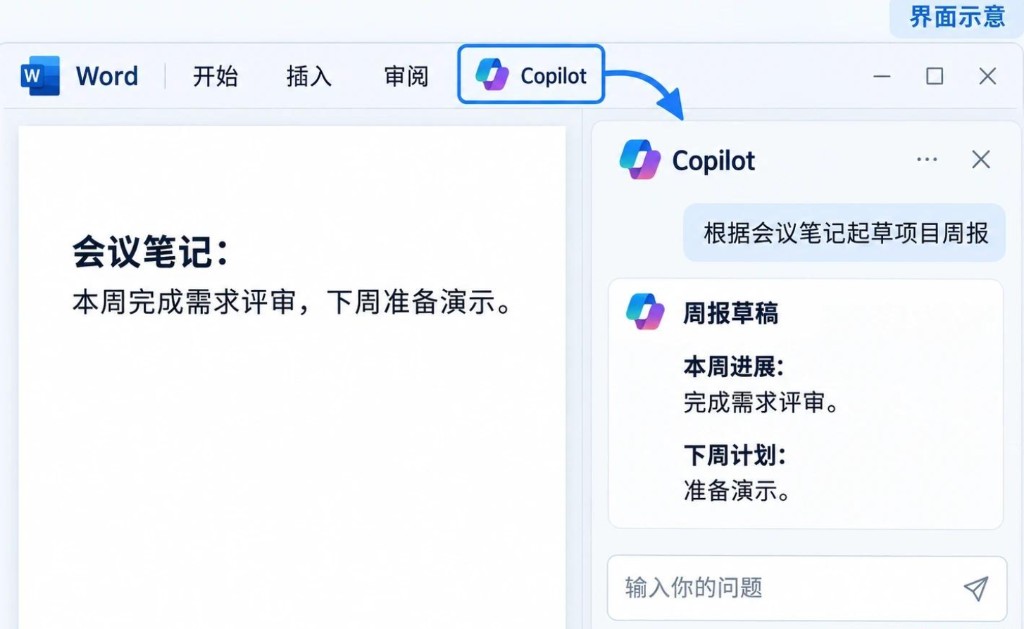
In 2026, Microsoft Copilot splits into two lanes: the free Copilot for individuals (web, Windows/macOS app, Edge sidebar) and Microsoft 365 Copilot for organizations—embedded in Word, Excel, PowerPoint, Outlook, Teams, and Loop with access to work content you already permissioned in the tenant. Clarify that boundary before you chase “install” and “office automation,” or you may install the app and still see no Copilot button in Excel.
This guide follows: choose the right product → install → hands-on in four apps → automation and compliance → FAQ. Screenshots show the real Microsoft 365 launcher and the official Copilot download page. Names and menus follow Microsoft’s current docs; regions and licenses differ.
Copilot, Copilot Chat, and Microsoft 365 Copilot
Free Copilot fits personal search, chat, and image generation (quotas and regions apply). It does not automatically read your company SharePoint mail stores. Use copilot.microsoft.com or install the standalone app.
Microsoft 365 Copilot is an enterprise add-on on eligible Microsoft 365 plans. It uses Microsoft Graph to retrieve mail, files, chat, and calendar within your permissions, and surfaces Copilot inside Office clients (see the launcher screenshot with Copilot and the Office suite). Without a license you may only get Copilot Chat or no work grounding.
- Is there a Copilot button on the Excel ribbon? If not, check licensing—not reinstall Office.
- Can prompts cite SharePoint files you did not open? Likely M365 Copilot + Graph; if not, probably web Copilot only.
- Did admin disable Copilot in the Microsoft 365 admin center? Sign-in may work while work features stay off.
Download and install (Windows, Mac, web)
Web: open copilot.microsoft.com and sign in with a Microsoft account or Entra ID. Good for trials, not a substitute for in-app Office Copilot.
Copilot app: the official download page lists Windows 11 (x64 / Arm64) and macOS packages. Match CPU architecture; in enterprises distribute the same build via Intune or Software Center.
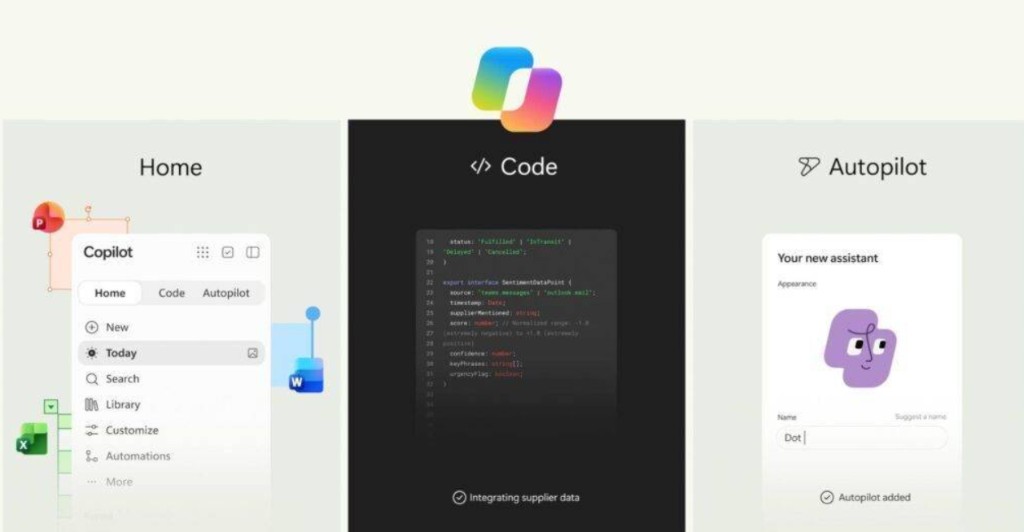
Microsoft 365 apps: Word, Excel, Outlook, and Teams come from Microsoft 365 or volume licensing. Copilot needs a recent Current Channel or Monthly Enterprise Channel build; stale Office builds cause “licensed but no menu.” On Mac and Windows, check build numbers in Word → About against Microsoft 365 Copilot docs.
Copilot in Edge: the sidebar helps with web summaries; for regulated documents, prefer Office clients so DLP and sensitivity labels apply.
Licenses and admin switches
| Role | What to verify | Typical outcome |
|---|---|---|
| Individual | Whether personal/family plans include a Copilot promo SKU | Some regions need Copilot Pro; Office features follow billing |
| Employee | IT assigned Microsoft 365 Copilot | Without it: free Copilot or Chat only |
| Admin | Admin center → Copilot settings, data access, plugins | Can restrict web search, Teams recap, third-party plugins |
Do not confuse Microsoft 365 E3/E5 with Copilot add-on seats. Pilot 5–10 real users with a mail thread, a multi-sheet Excel file, and a recorded Teams meeting before rolling out.
Word: draft, rewrite, cite work files
With a licensed account, typical flows are draft from an outline, rewrite selection (tone/length/bullets), summarize, and grounded drafts from other Office files (“one-page brief from last week’s notes”).
- Write a structural prompt: audience, length, required terms, banned words.
- Fact-check numbers and legal citations manually.
- Use Track Changes: Copilot drafts, humans edit in redline for audit.
- Apply sensitivity labels on customer templates before copying content.
Excel: natural language over your tables
Excel Copilot helps explain formulas, suggest formulas or conditional formatting, and answer questions about trends and outliers. It works best on structured Tables with clear headers—avoid merged cells.
- After importing CSV, Format as Table.
- State time range and metric definitions in prompts.
- Inspect suggested formulas with Show Formulas and F2.
- Let Copilot propose pivot layouts, but verify axes and filters yourself.
Outlook: summaries and reply drafts
High-value uses: long-thread summaries, tone-controlled replies, and extracting to-dos when the tenant enables it.
- Ensure the newest messages are synced before summarizing.
- Send external mail only after human edit; avoid one-click send on pricing or contracts.
- DLP applies to Copilot output as well.
Teams: meetings, chat, follow-ups
With transcription/recording allowed, Copilot produces recaps, action items, and “what did I miss?” answers. In chat it can summarize channel history within permissions.
- Confirm recording/transcription policy before the meeting.
- Speak action items clearly for transcription quality.
- Copy actions to Planner or Azure DevOps, not only chat.
- External guests may be restricted—check IT.
Automation: Power Automate and Copilot Studio
In-app Copilot speeds one person; repeated cross-system work belongs in Power Automate and Microsoft Copilot Studio. Examples: invoice mail → SharePoint → Teams notify finance; new Excel row → approval → status column; HR bot on SharePoint knowledge in Teams.
Add failure alerts and idempotent design. Test expressions Copilot writes before production flows.
Data boundaries and misuse
Enterprise Copilot stays in tenant boundaries; Microsoft’s enterprise commitments describe training boundaries—read your DPA. Avoid pasting unsanitized PII into free web Copilot, prompting around permissions, or leaving sessions on shared Macs—use separate accounts and short sessions.
If Xcode and large Excel compete for RAM on one Mac, a dedicated Cloud Mac for Office-heavy work can stabilize Teams and recording; Copilot still uses Microsoft licensing.
FAQ
Copilot app installed but no Excel Copilot? The app ≠ M365 Copilot license. Confirm seat assignment and Office channel/build.
Can free Copilot read my company OneDrive like M365 Copilot? Not with the same Graph grounding; SKU rules apply even on the same sign-in.
No Teams meeting recap? Transcription/recording policy, audio quality, and admin Teams Copilot settings.
Mac vs Windows parity? Mostly aligned; builds may differ slightly—check About dialogs.
Auto-send external mail? Often blocked by policy; draft-only is safer.
Relation to Vuncloud Cloud Mac? None required. Rent a Cloud Mac if you need isolated macOS sessions for long Office plus dev tooling; Copilot still follows Microsoft accounts and licenses.